

Bruno makes it easy to work with various API protocols - whether you’re building RESTful services with HTTP, designing GraphQL APIs, or converting cURL commands into reusable requests. With support for all standard HTTP methods (GET, POST, PUT, DELETE, etc.), you can create, test, and manage your API requests efficiently. Let’s walk through how to create your first request:Documentation Index
Fetch the complete documentation index at: https://bruno-a6972042-mintlify-testing-jsonbody-jsonschema-1777266.mintlify.app/llms.txt
Use this file to discover all available pages before exploring further.
Create a New Request in Bruno
- Go to your Collection, and click on the
···button. - Select
New Requestin the dropdown menu.
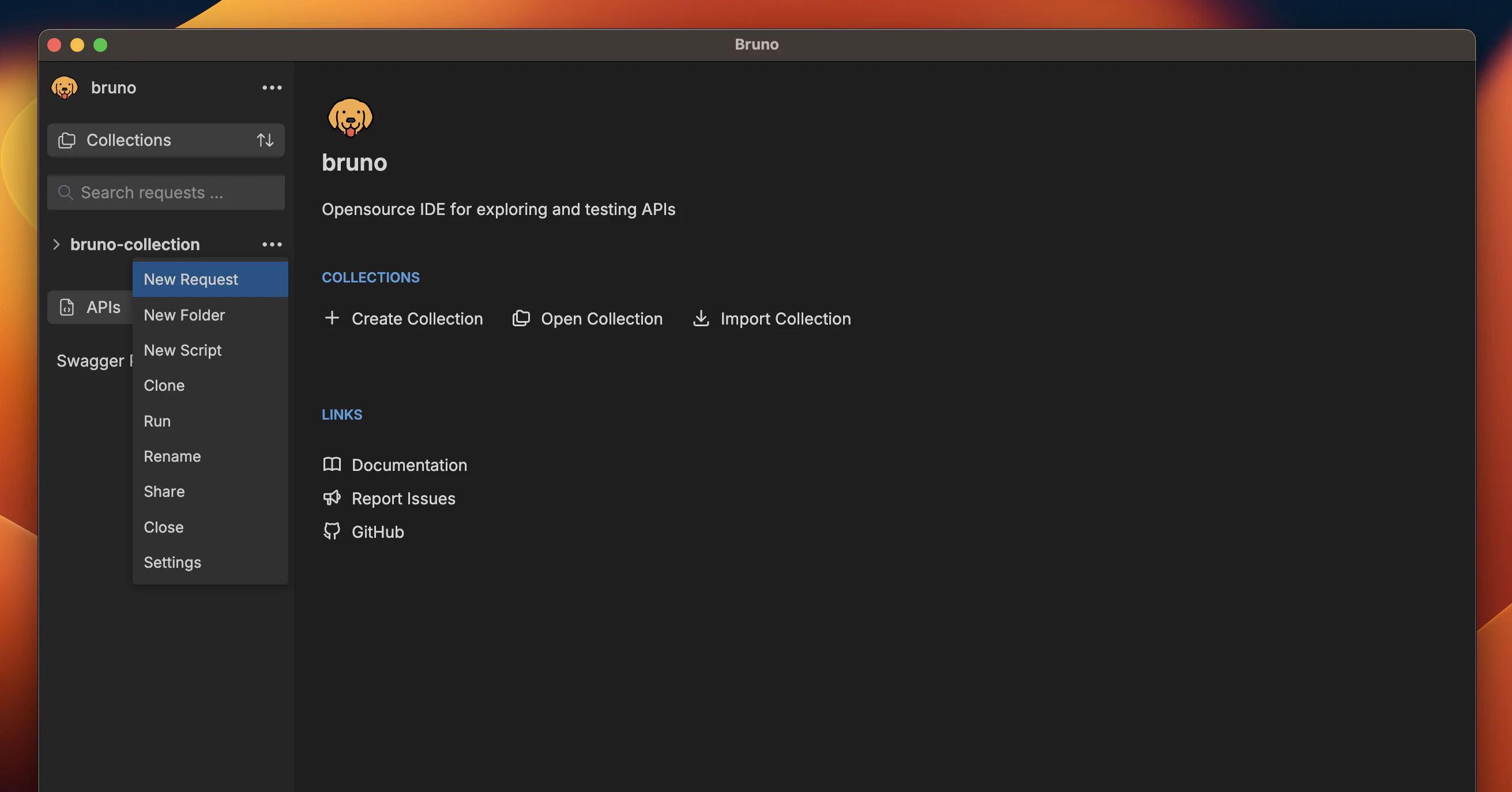
- In the dialog that appears, choose:
- Request Type (HTTP, GraphQL, or from cURL)
- Request Name
- HTTP Method (GET, POST, PUT, etc.)
- URL
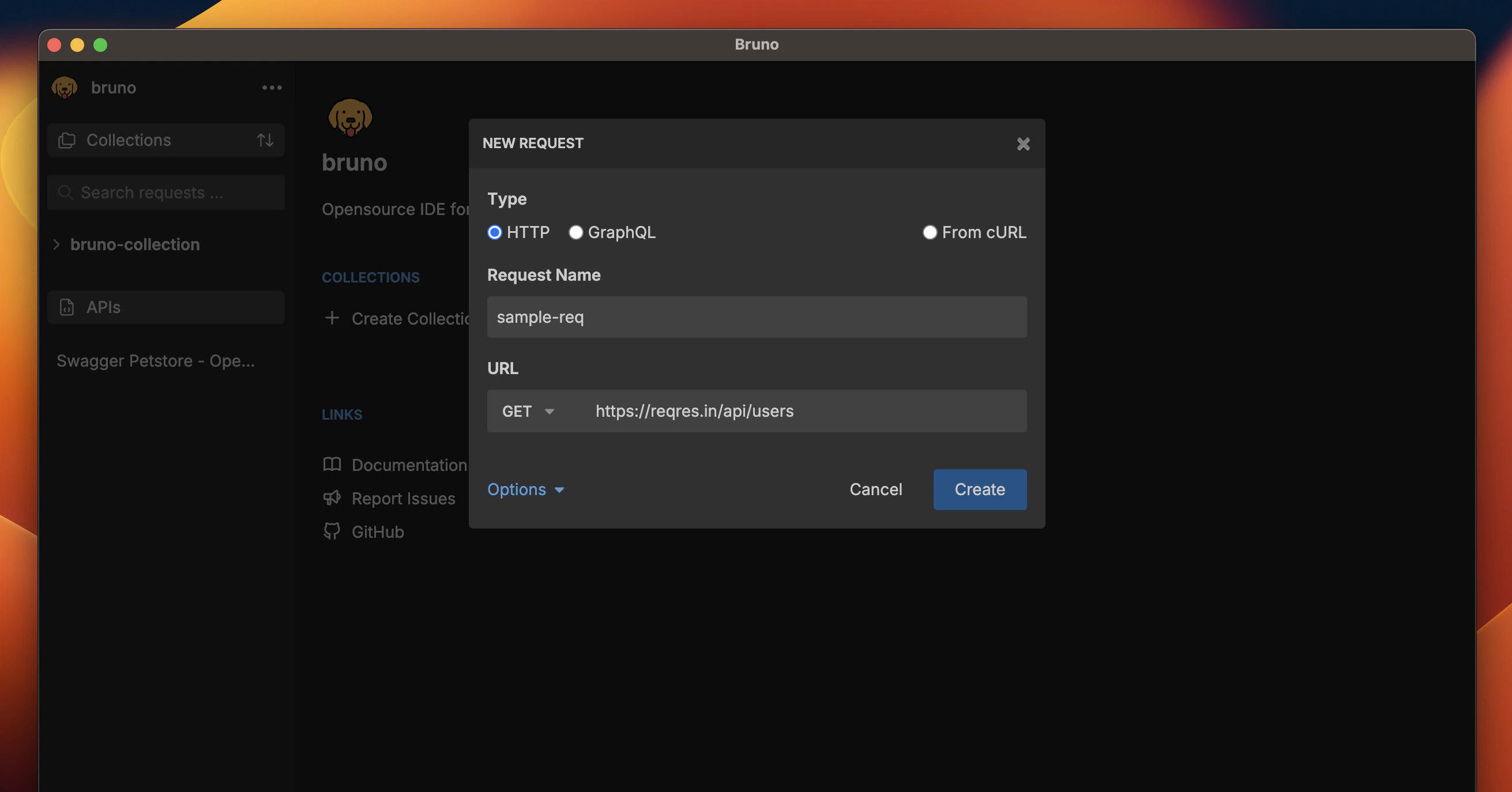
- Click
Createto finish.
Custom Request Filenames
Starting with Bruno v1.40.0 ↗, you can
now use special characters in request names and customize how they appear in
the filesystem.
/, [, ], *, etc. Bruno automatically handles filesystem compatibility by replacing unsupported characters with - in the filenames while preserving your original request name.
To view or customize the filesystem name
- Select Show Filesystem Name.
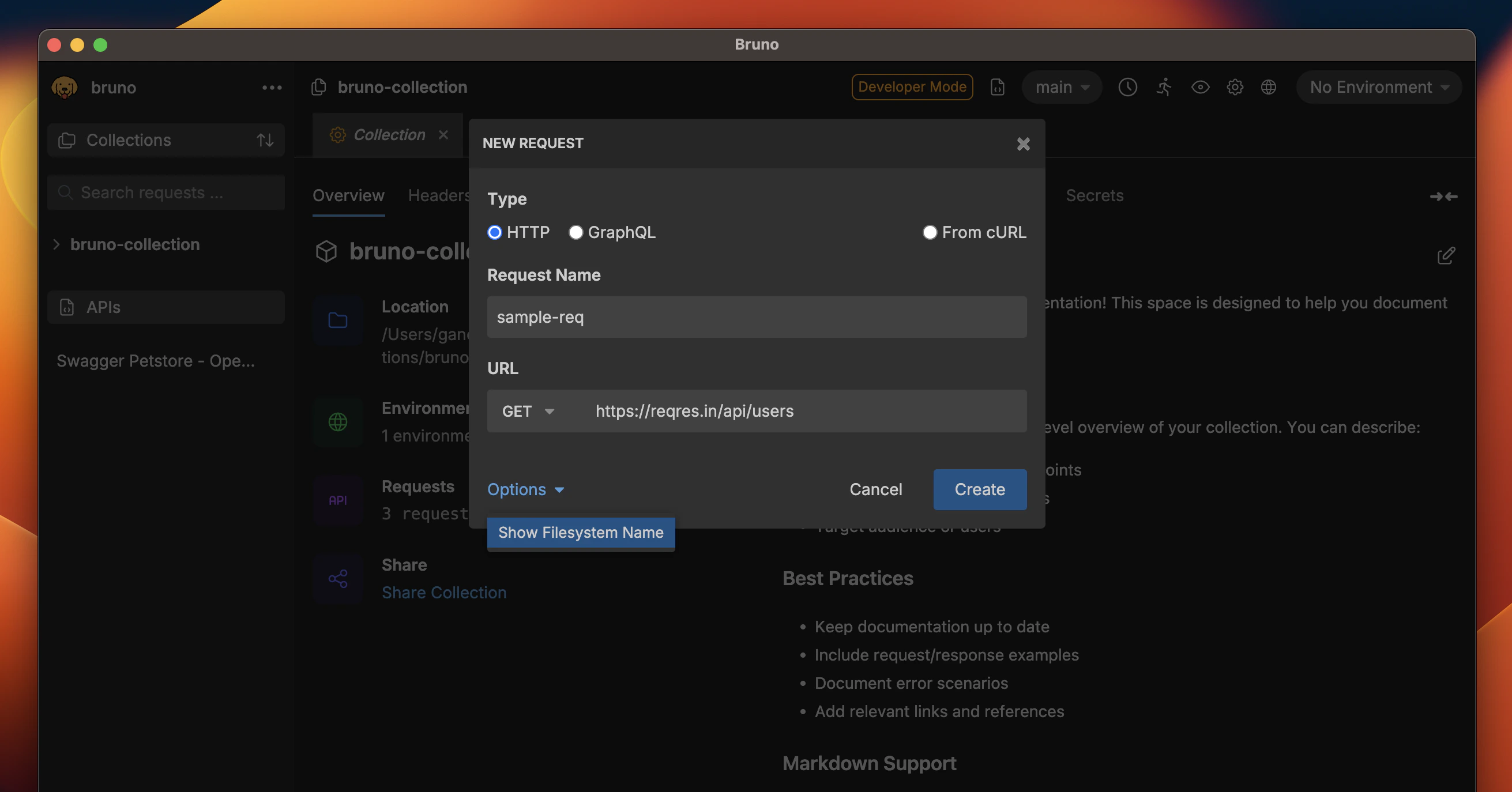
- You can now see how your request name is stored on the filesystem.
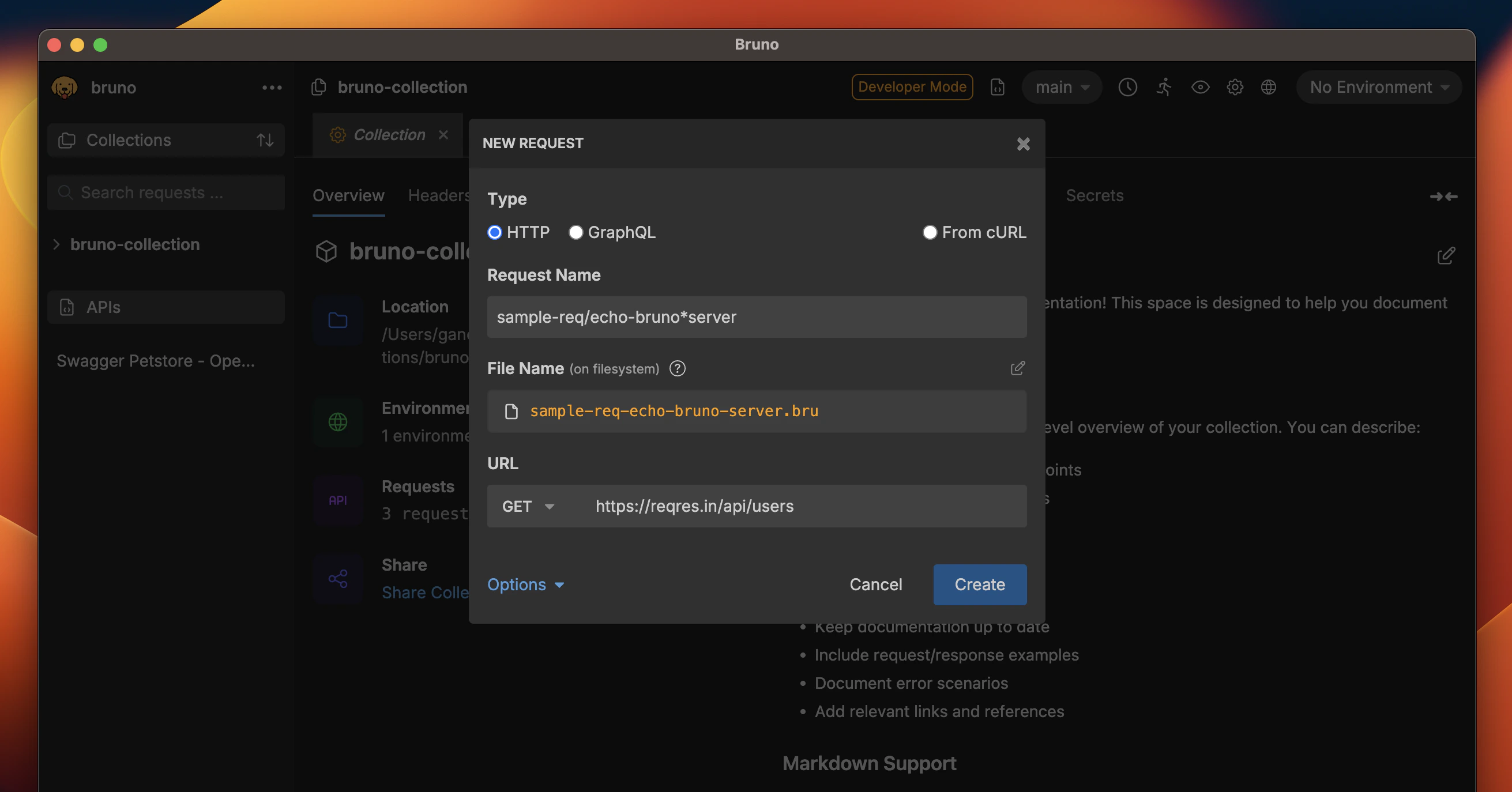
- (Optional) Click the edit icon to customize the filename while keeping your display name intact.