

A collection in Bruno is a structured group of API requests, tests, and related resources that helps you organize and manage your API testing workflow.Documentation Index
Fetch the complete documentation index at: https://bruno-a6972042-mintlify-testing-jsonbody-jsonschema-1777266.mintlify.app/llms.txt
Use this file to discover all available pages before exploring further.
If you have an existing collection inside of another tool that you would like to import, please see Importing Collections ↗.
How to Create a Collection
- Open Bruno and navigate to the home screen
- Click on the
···button and selectCreate Collectionfrom dropdown.
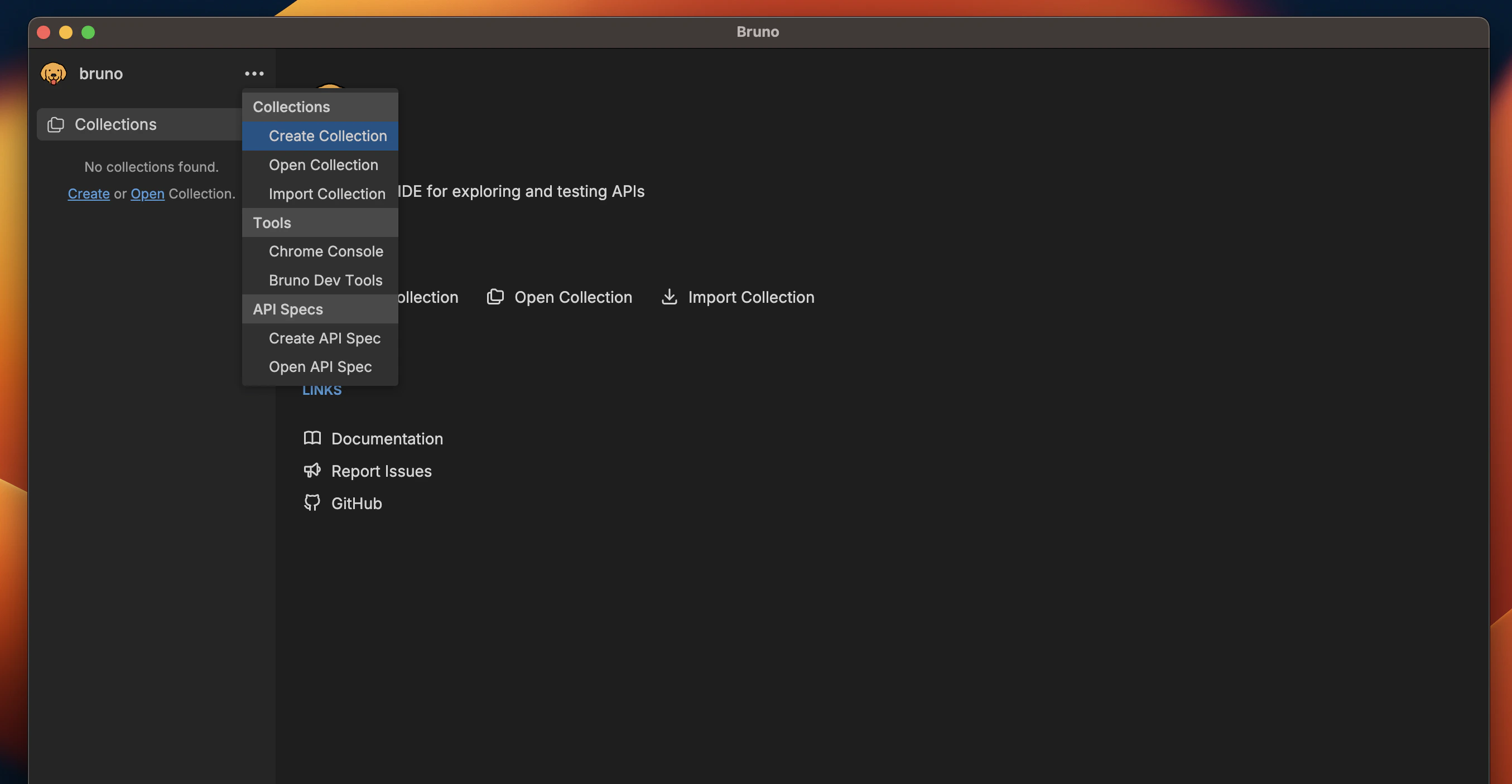
- Enter a name for your collection
- Choose a location on your filesystem to store the collection
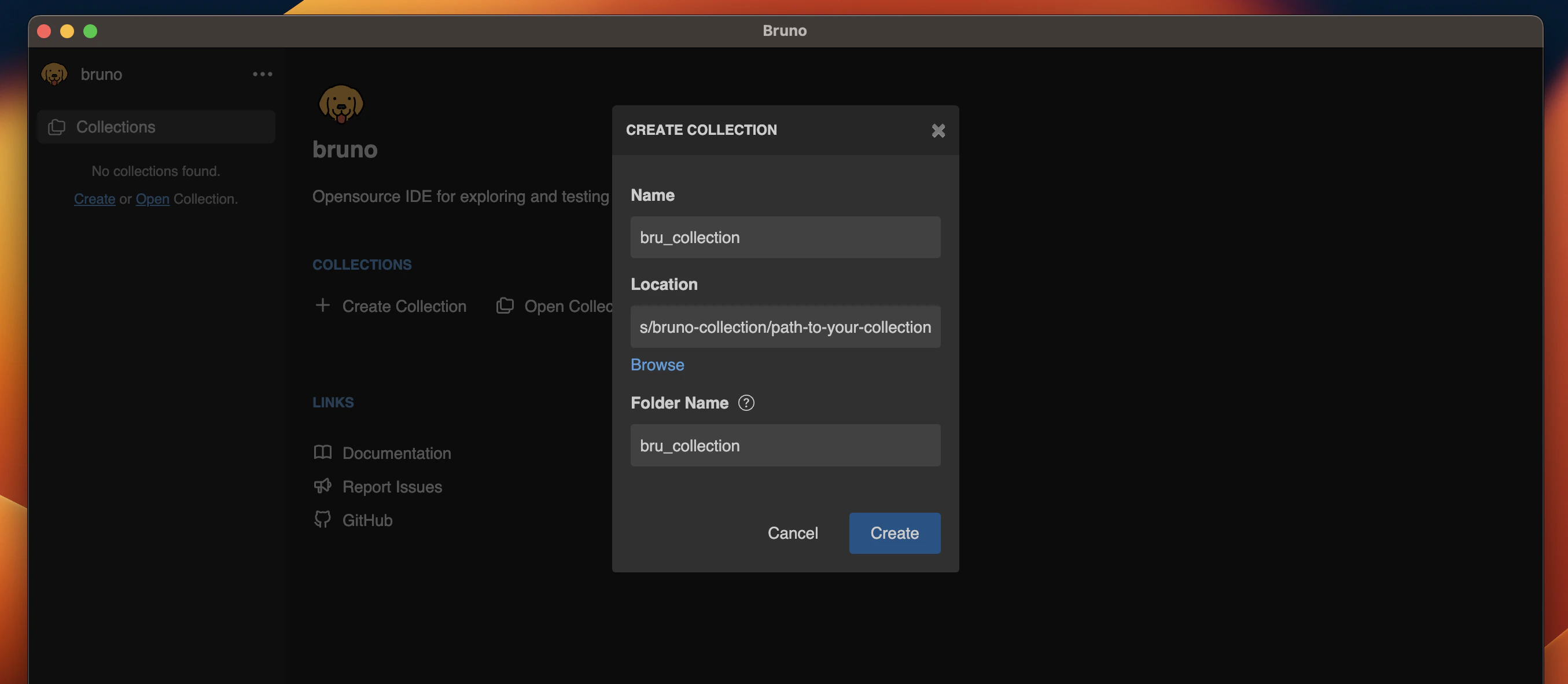
- Click Create
Custom Collection Names
Starting with Bruno v1.40.0 ↗, you can
now use special characters in collection names and customize how they appear in
the filesystem.
/, [, ], *, etc. Bruno automatically handles filesystem compatibility by replacing unsupported characters with - in the filenames while preserving your original collection name.
Add a request ↗ to your collection as a next step!
If you’re looking to collaborate and share with your team, please see Collaboration in Bruno ↗.