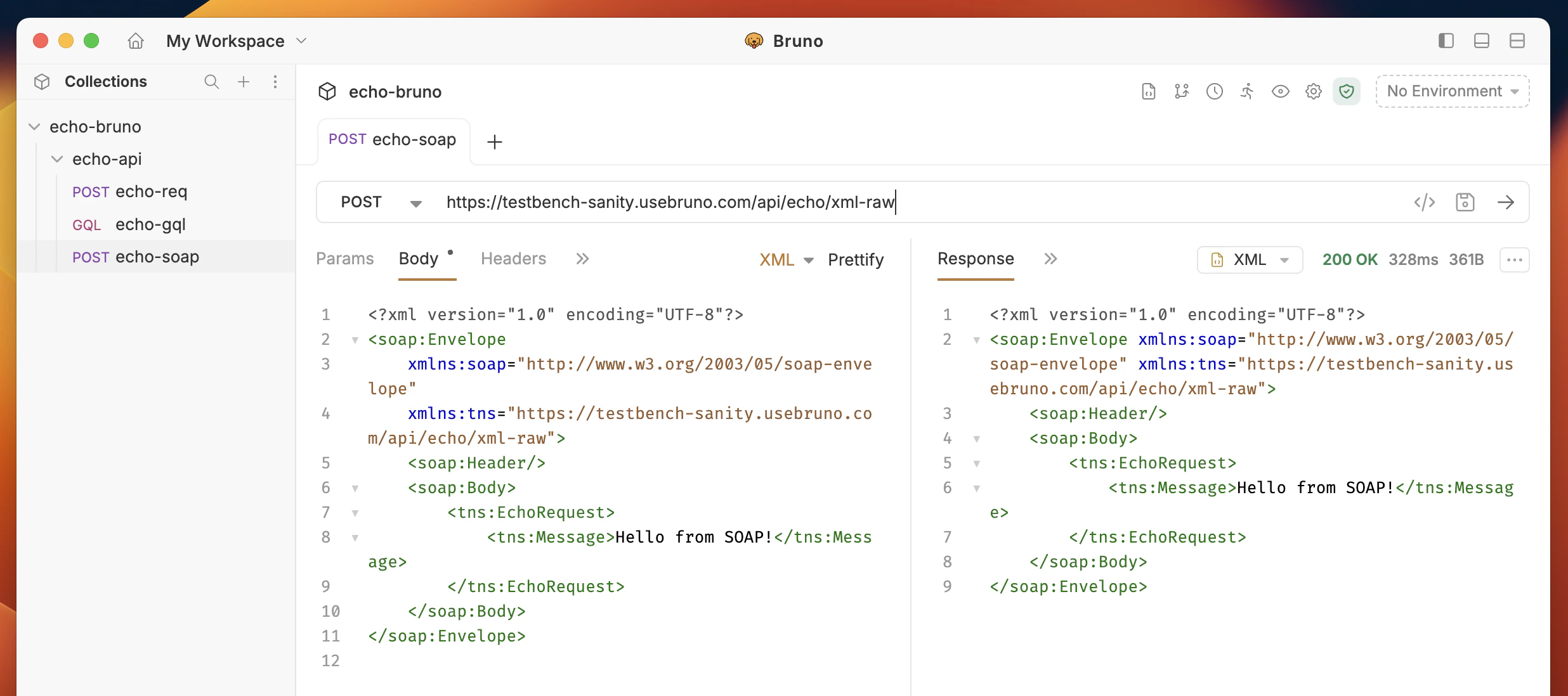
Bruno enables you to make HTTP calls using Simple Object Access Protocol (SOAP), a messaging protocol used for exchanging structured information between systems over a network. SOAP defines a standard for request-response communication and is based on XML data format.Documentation Index
Fetch the complete documentation index at: https://bruno-a6972042-mintlify-testing-jsonbody-jsonschema-1777266.mintlify.app/llms.txt
Use this file to discover all available pages before exploring further.
Working with WSDL files? Bruno can automatically import WSDL files and generate SOAP request collections. Learn more in the WSDL to Bruno Converter guide.
Key Components of a SOAP Message
- Envelope: The outermost element that defines the start and end of the message.
- Header: (Optional) Contains meta-information or additional information about the message.
- Body: The main part of the message that contains the actual data or the request/response payload
Create SOAP request
You have two options for creating SOAP requests in Bruno:Option 1: Import from WSDL (Recommended)
If you have a WSDL file, Bruno can automatically generate SOAP requests with pre-configured envelopes:- Right-click on a collection and select Import Collection
- Choose WSDL and upload your
.wsdlfile - Bruno will generate all SOAP operations with proper XML structure
Option 2: Create Manually
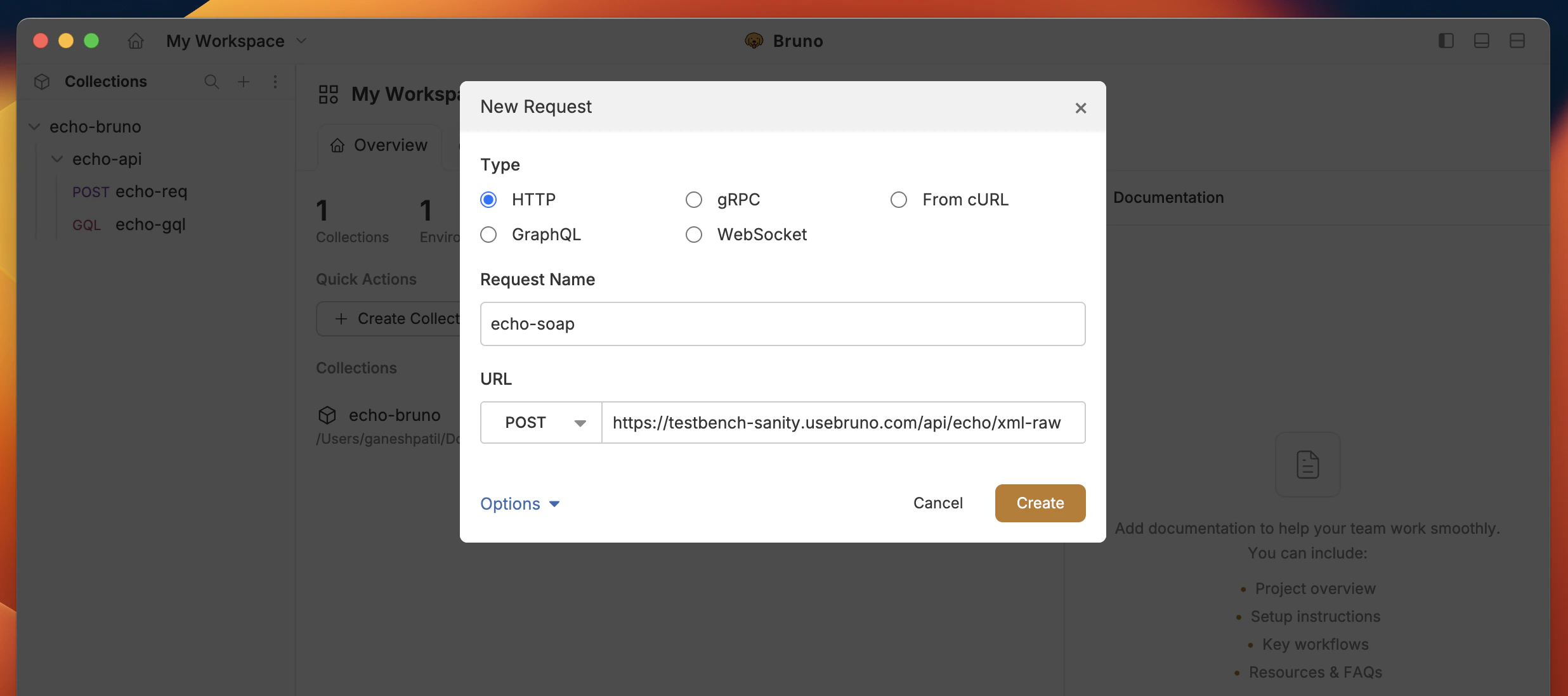
- Create new request inside a collection in Bruno.
- Select HTTP and add URL and name.
- Click on Create button.
Adding body data
- After creating request, Go to Body.
- Select XML from the dropdown list.
- Add your XML data in the textarea section.
- Save and Execute the request.