

Running a Bruno collection lets you exercise and test an API. You can run collections from the app (Collection Runner) or from the command line (Bruno CLI).Documentation Index
Fetch the complete documentation index at: https://bruno-a6972042-mintlify-testing-jsonbody-jsonschema-1777266.mintlify.app/llms.txt
Use this file to discover all available pages before exploring further.
Collection Runner
The built-in Collection Runner supports unlimited runs.-
Open the Collection Runner using either method:
- In the sidebar, click
···next to your collection, then select Run.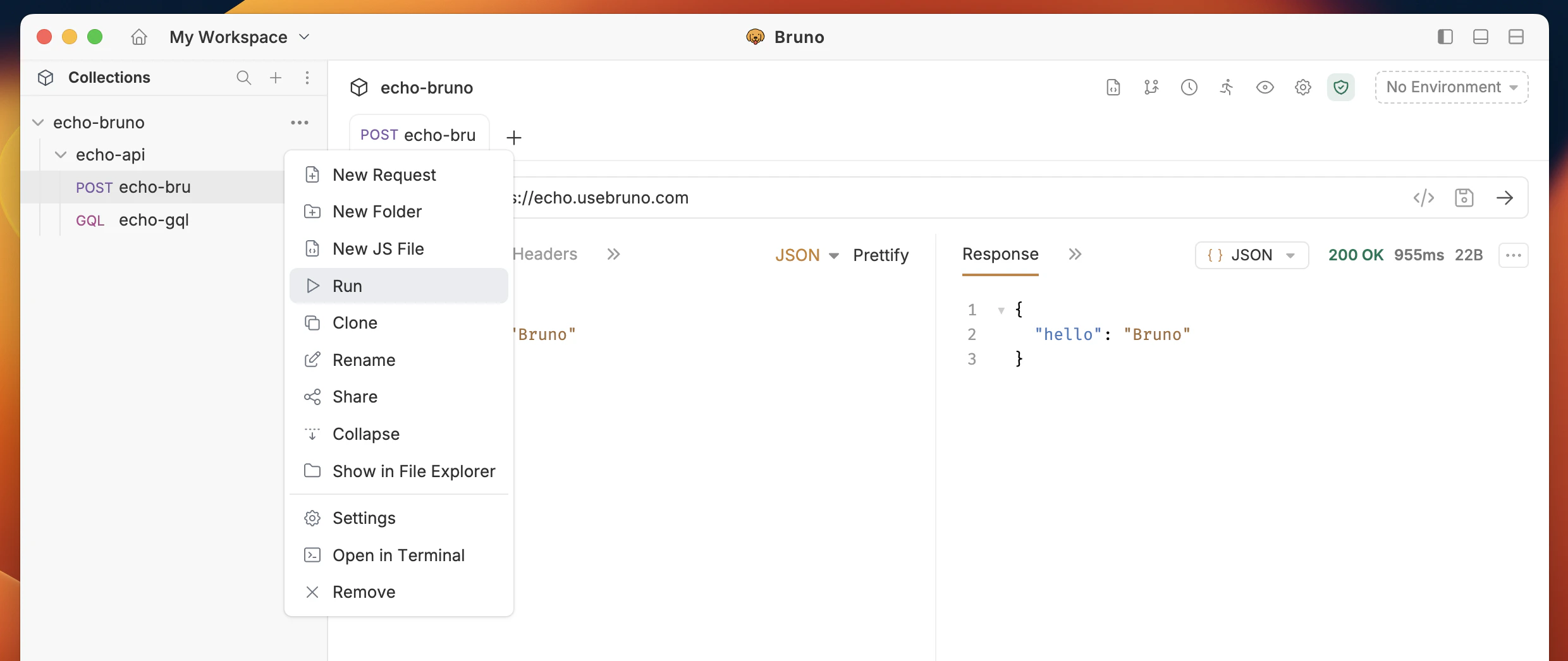
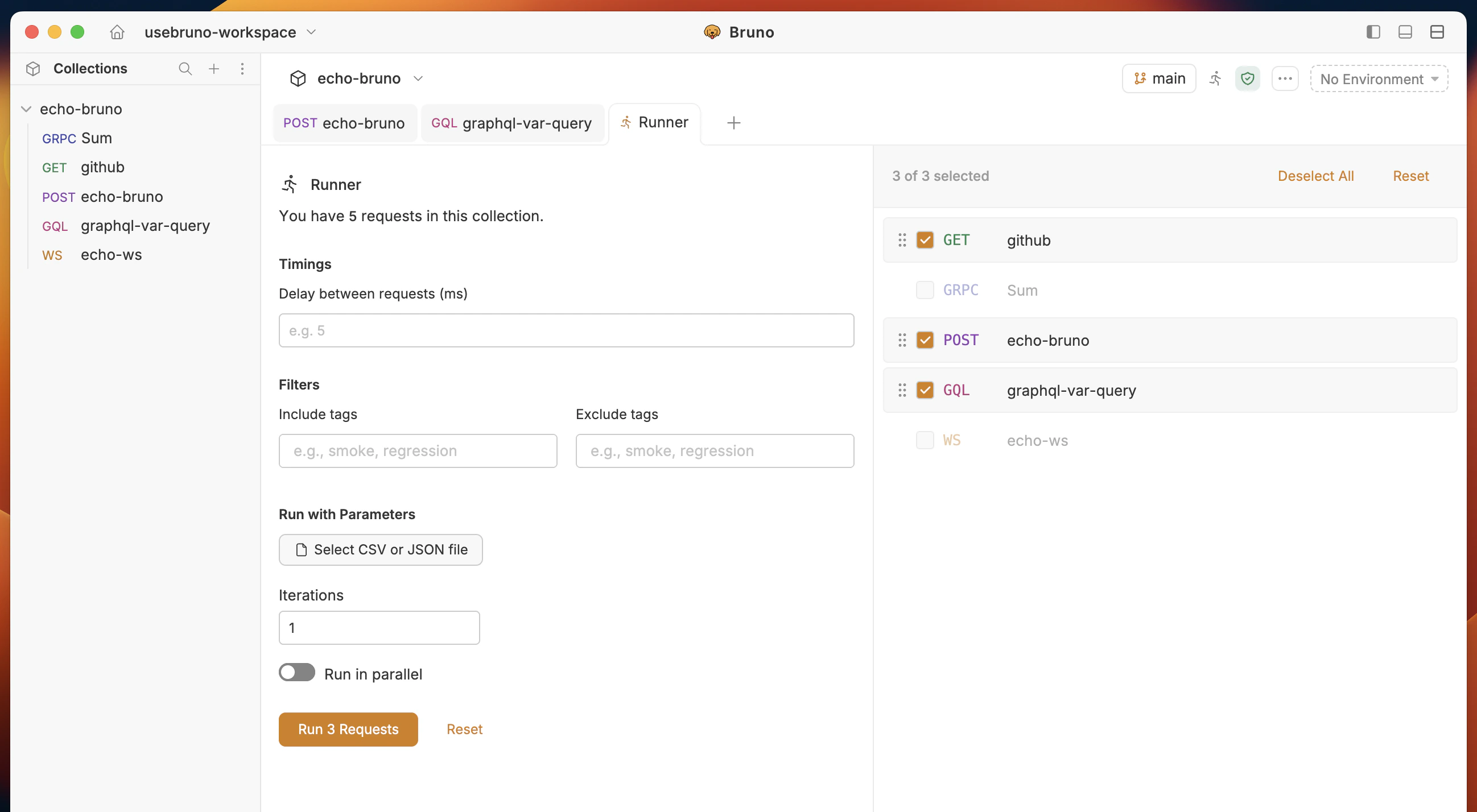
- Or click the Collection Runner icon in the top bar.

- In the sidebar, click
- Configure the run (optional): In the runner, set parameters, choose a delay between requests, and adjust any other options you need.
- Start the run to execute the collection from the runner.
Data-driven testing (running a collection with a CSV data file) is available in Bruno Pro and Bruno Ultimate.
Automating Runs in CI/CD
- Use the Bruno CLI to run collections from scripts and pipelines (no GUI required).
- Follow the CLI docs to install the CLI, run a collection, and wire it into your CI/CD jobs: Bruno CLI ↗